

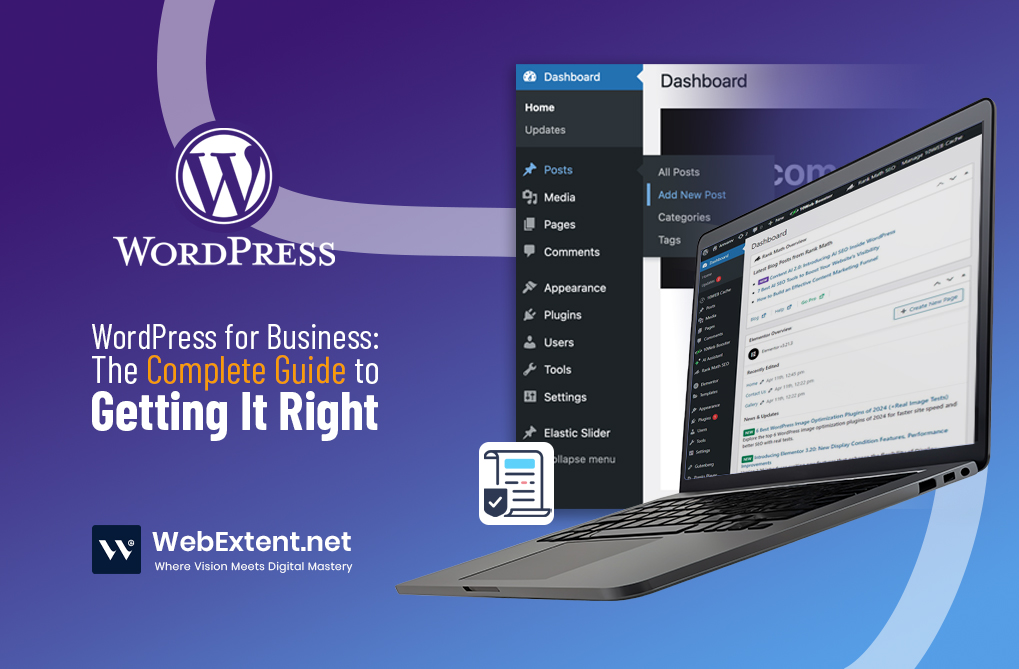

Your business deserves a website that works as hard as you do. You’ve heard WordPress for business might be the answer, but the technical jargon can feel overwhelming. Content management systems, hosting providers, plugins, themes—where do you even start?
Here’s what you need to know: WordPress powers 43% of all websites on the internet. It’s trusted by small local businesses and Fortune 500 companies alike. Why? Because it offers something rare in the digital world—real control without requiring you to become a developer.
This guide cuts through the complexity. You’ll understand what WordPress is, how the technology works, what you can confidently manage yourself, and where professional expertise makes the difference between an average website and one that actually grows your business. Whether you’re starting from scratch or considering a partnership with agencies like WebExtent, you’ll walk away knowing exactly what WordPress for business can do for you.
What Is WordPress and Why Do Businesses Choose It?
Let’s start with the basics. WordPress is a content management system—or CMS for short. In plain English, it’s software that lets you build and run a website without writing code. Instead of hiring a programmer every time you want to add a new page or change a sentence, you get an intuitive dashboard where you control everything yourself.
Think of WordPress as the operating system for your website. Just like your smartphone has iOS or Android running behind the scenes, WordPress powers your site’s functionality while you focus on what matters—your content and your customers.
Businesses choose WordPress for several compelling reasons:
- It grows with you. Start with five pages today, add e-commerce next year, integrate booking systems later. WordPress scales from simple to sophisticated without requiring a complete rebuild.
- You actually own it. Unlike subscription platforms that hold your content hostage, WordPress gives you complete ownership. Your content, your data, your rules. Want to switch hosting providers? No problem. Need to migrate? You’re in control.
- Search engines love it. WordPress is built with clean, semantic code that Google and other search engines can easily crawl and understand. Pair this foundation with smart SEO strategies, and you’ve got a competitive advantage.
- Endless possibilities through plugins. Contact forms, appointment booking, membership areas, online stores, email marketing integration—if you can imagine it, there’s likely a plugin that makes it happen.
One quick clarification: WordPress.com and WordPress.org are different animals. WordPress.com is a hosted service with limitations. WordPress.org is the self-hosted, full-powered version that serious businesses use. When we talk about WordPress for business throughout this guide, we mean WordPress.org—the one that gives you real flexibility and control.
How WordPress Business Websites Actually Work
You don’t need to become a tech expert to understand WordPress, but knowing the basics helps you make smarter decisions. Let’s break down the key components using simple analogies that actually make sense.
Web Hosting: Your Digital Real Estate
Every website needs somewhere to live online. That’s what hosting provides—digital space where your website’s files are stored and served to visitors. Good hosting keeps your site fast, secure, and available around the clock. Cheap hosting? That’s where slow load times and security headaches come from.
Domain Name: Your Digital Address
Your domain name is how people find you—think yourbusiness.com. It’s the address you share on business cards, in emails, and in marketing materials. You register it through a domain registrar and point it to your hosting account so visitors reach the right destination.
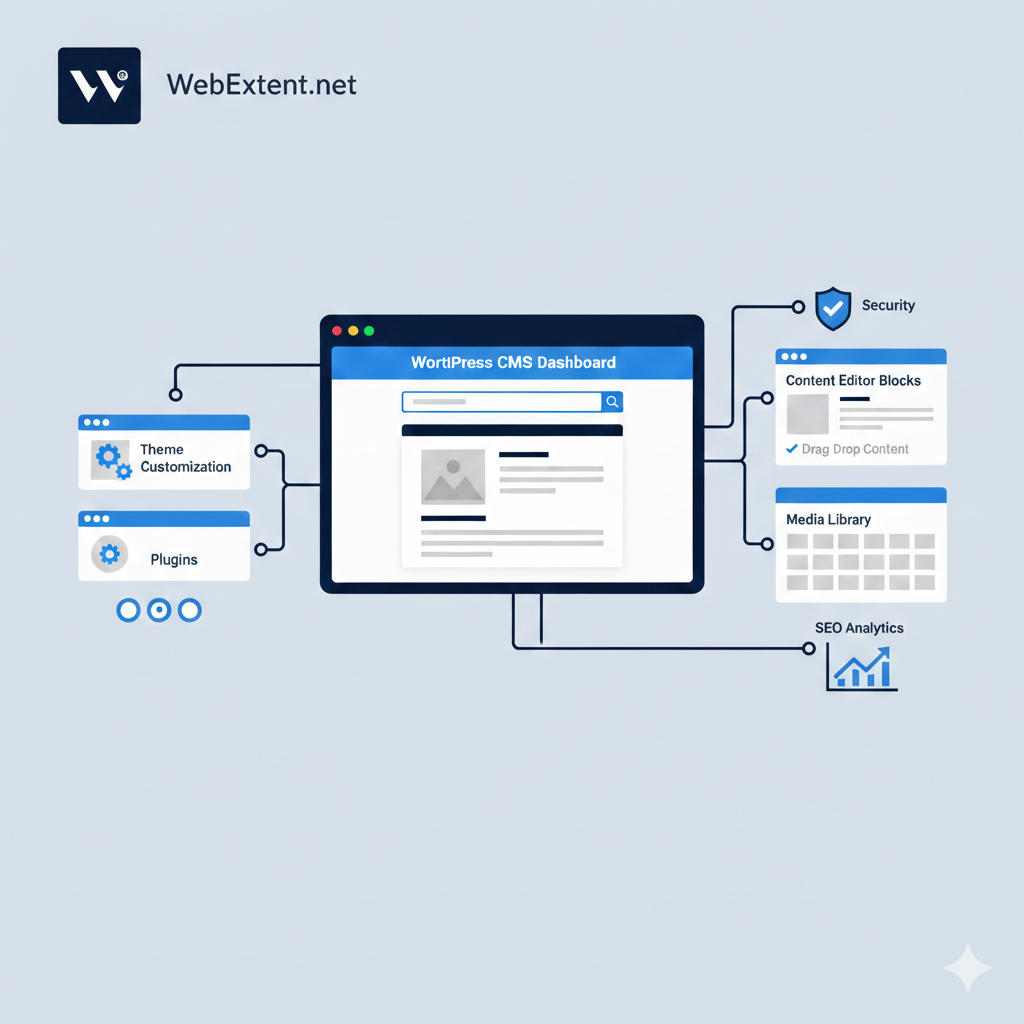
WordPress Installation: The Engine
WordPress itself is software that gets installed on your hosting account. Most quality hosting providers offer one-click installation, making this surprisingly straightforward. Once installed, WordPress becomes the engine that powers your entire website.
Theme: Your Visual Identity
A theme controls how your website looks and feels—colors, fonts, layouts, button styles, everything visual. You can choose from thousands of pre-made themes or invest in custom design that truly represents your brand. Choose wisely here; a generic template can make even great businesses look amateur.
Plugins: Your Feature Library
Need a contact form? There’s a plugin. Want to improve SEO? Plugin. Need analytics? Plugin. These are essentially apps for your website that extend what WordPress can do. The key is choosing quality plugins that are well-maintained and won’t slow your site down or create security vulnerabilities.
Dashboard: Your Command Center
The WordPress dashboard is where the magic happens. This user-friendly interface lets you create content, manage media, update settings, and control your entire website—all without touching a line of code. It’s designed for humans, not just developers.
What You Can Control Yourself in WordPress
This is where WordPress shines for business owners. Once your website is properly built and configured, daily management becomes surprisingly accessible. You won’t need to call a developer for routine updates.
Here’s what you can confidently handle on your own:
- Content creation and editing. Adding new pages, updating existing content, fixing typos, changing prices—all of this is as simple as using Microsoft Word. The visual editor shows you exactly what your visitors will see.
- Blog publishing. WordPress started as a blogging platform, and it’s still the best at it. Write, format, add images, schedule posts, manage categories—you’ll master this quickly.
- Media management. Upload photos, videos, and documents through a simple drag-and-drop interface. Everything gets organized in your media library for easy access later.
- Team access control. Need to give your marketing person access to write blogs but not change critical settings? WordPress lets you create different user roles with specific permissions.
- Basic SEO optimization. With plugins like Yoast SEO or Rank Math, you can optimize page titles, descriptions, and keywords without needing technical SEO knowledge. The plugins guide you through it.
- Content updates and maintenance. Keeping information current is critical for business credibility. Change your hours, update service descriptions, swap out team photos—do it all yourself, whenever you need to.
The bottom line? WordPress CMS puts you in the driver’s seat for everyday content management. No waiting on developers, no per-change fees, no technical barriers. This is the independence that makes WordPress so attractive to business owners.
Where Most Businesses Face Challenges
Now for the reality check. While WordPress makes content management accessible, building a high-performing website that actually drives business results involves complexities that catch many businesses off guard.
These are the areas where things typically get complicated:
The Initial Setup
Choosing the wrong hosting provider, misconfiguring your server, or installing WordPress incorrectly creates problems that compound over time. These foundational decisions impact everything that follows—performance, security, scalability. Get them wrong initially, and you’ll pay for fixes later.
Website Speed and Performance
A slow website kills conversions. Period. Visitors abandon sites that take more than three seconds to load. Google penalizes slow sites in search rankings. But optimizing performance requires knowledge of image compression, caching strategies, code minification, database optimization, and choosing a lightweight, well-coded theme. Most business owners don’t have time to master these skills.
SEO Architecture
Yes, WordPress is SEO-friendly by nature. But that doesn’t mean your site will automatically rank well. Strategic site structure, proper URL formatting, schema markup implementation, mobile optimization, internal linking strategy, page speed optimization—these require expertise. Installing an SEO plugin isn’t enough.
Security Vulnerabilities
WordPress itself is secure, but it’s also the world’s most popular CMS, making it a prime target for hackers. Without proper security measures—SSL certificates, security plugins, regular updates, strong authentication, automated backups, malware scanning—you’re leaving your business exposed. One successful attack can destroy years of work.
Plugin Management
Not all plugins are created equal. Some are poorly coded, creating conflicts with other plugins or themes. Others get abandoned by developers, becoming security risks. Installing too many slows your site to a crawl. Knowing which plugins to trust, how to configure them properly, and when to use custom code instead requires experience.
Strategic Design and User Experience
A pretty website that doesn’t convert visitors into customers is just expensive decoration. Effective WordPress websites require strategic planning around user journeys, conversion optimization, clear calls-to-action, and intuitive navigation. Design isn’t just aesthetics—it’s psychology, marketing, and business strategy combined.
Understanding these challenges isn’t meant to discourage you. It’s meant to help you make informed decisions about what you can realistically handle yourself and where investing in professional expertise pays dividends.
Building Your WordPress Business Website: DIY vs Professionals
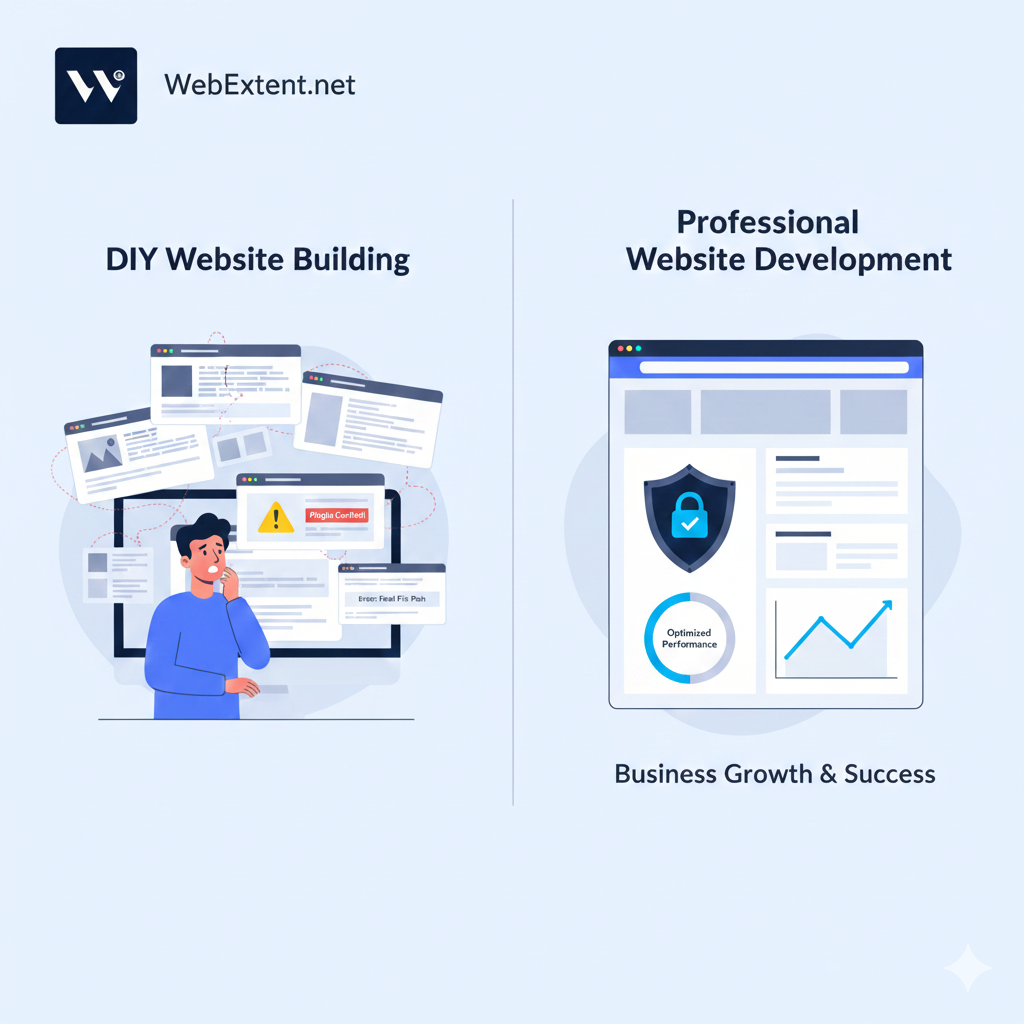
The question every business owner asks: should I build this myself or hire professionals? The honest answer isn’t one-size-fits-all. It depends on your goals, your timeline, your technical comfort level, and how much your website matters to your business.
When DIY Makes Sense
Building your own WordPress website for small business can work if:
- You’re validating a business idea and need something simple and fast
- Budget constraints are severe and you have time to invest in learning
- You’re tech-savvy and genuinely enjoy troubleshooting
- Your website serves as a basic digital business card, not a growth engine
- You understand the limitations and are prepared to upgrade later
Many successful businesses start with DIY WordPress sites. There’s no shame in that. Just be realistic about what you’re taking on and the trade-offs involved.
When Professional Help Is Worth the Investment
However, professional WordPress development becomes essential when:
- Your website directly generates revenue or leads
- You need custom functionality that plugins can’t provide
- SEO and search visibility matter to your business model
- You’re handling customer data, payments, or sensitive information
- Your time is more valuable running your business than learning web development
- You want to avoid expensive mistakes that require complete rebuilds
- Your brand reputation depends on projecting professionalism online
Here’s the uncomfortable truth: a poorly implemented WordPress website can actually hurt your business. Slow load times drive potential customers to competitors. Weak security exposes you to data breaches and liability. Poor mobile experience frustrates the majority of your visitors. Mediocre design makes even excellent businesses look amateurish.
Professional development isn’t about paying for fancy features. It’s about building a strategic asset that supports business growth, protects your investment, and positions you competitively in your market.
How WebExtent Helps You Build WordPress the Right Way
At WebExtent, we don’t just install WordPress and hand you the keys. We build strategic digital foundations designed to grow with your business. Our approach focuses on what actually matters: performance that converts, security that protects, and scalability that supports your ambitions.
Here’s how we approach WordPress for business differently:
Strategy Before Code
We start by understanding your business goals, target audience, and competitive landscape. What actions do you want visitors to take? Who are your ideal customers? What sets you apart? We map site structure, user journeys, and conversion paths before writing a single line of code. Your website should support your business strategy, not just exist on the internet.
Custom Design That Stands Out
Generic templates make you look like everyone else in your industry. We design WordPress websites that capture your unique value proposition and build trust with the customers you actually want. Every design decision serves a strategic purpose—guiding visitors, building credibility, driving conversions.
SEO Built Into the Foundation
We build WordPress CMS websites with clean code, optimized site structure, proper heading hierarchy, strategic keyword placement, schema markup, and mobile-first responsive design. Your site launches ready to compete in search rankings, not months behind while you figure out SEO basics.
Performance That Converts
Fast websites convert better, rank higher, and keep visitors engaged. We optimize images, implement advanced caching, minimize code bloat, choose performance-focused hosting, and test rigorously across devices. Your visitors won’t wait around for slow pages—and neither should you.
Security You Can Trust
We implement comprehensive security from day one: SSL certificates, security plugins, automated backups, strong authentication protocols, regular monitoring, and malware protection. Your business—and your customers—deserve protection from evolving threats.
Ongoing Partnership and Support
WordPress requires regular updates, backups, and monitoring. Our maintenance plans handle the technical details so you can focus on running your business. Think of us as your extended team—here when you need guidance, whether that’s troubleshooting an issue, advising on new features, or strategizing how your website can better support evolving business goals.
We position ourselves as your long-term digital partner, not just another vendor. We succeed when you succeed, and we’re invested in building websites that drive measurable business results.
Is WordPress the Right Choice for Your Business in 2026?
With AI tools advancing rapidly, competition intensifying, and user expectations higher than ever, you might wonder if WordPress still makes sense in 2026.
The answer is a resounding yes—when implemented correctly.
WordPress continues to dominate because it evolves. As an open-source platform with thousands of developers contributing improvements, WordPress adapts to new technologies and capabilities faster than proprietary systems. You’re not betting on a single company’s vision—you’re leveraging the collective innovation of a global community.
But success with WordPress in 2026 demands more than just installing software and picking a theme. You need:
- Strategic foundation built around business goals, not just aesthetics
- Performance excellence that meets modern expectations for speed
- SEO optimization that helps you compete for visibility
- Security commitment that protects against evolving threats
- Ongoing maintenance that keeps everything running smoothly
The businesses that thrive with WordPress are those that treat their website as a strategic asset worthy of professional investment. They understand that cutting corners on development leads to expensive problems later. They partner with experienced teams who build not just for today, but for sustainable growth.
WordPress remains the smartest choice for businesses that want flexibility, ownership, and control. Just make sure you’re setting yourself up for success from the start.
Ready to Build Your WordPress Website the Right Way?
Whether you’re launching a new business, redesigning an outdated site, or finally addressing those nagging performance and security issues, WebExtent is here to guide you. We believe in transparent communication, strategic thinking, and building websites that actually work for your business—not just pretty pages that sit idle.
Let’s start with a conversation. No pressure, no sales pitch—just honest guidance about the best path forward for your specific situation.
Book a consultation with WebExtent today. Let’s build something that actually grows your business.
Subscribe to Us on YouTube
Get exclusive tutorials, behind-the-scenes content, and expert insights delivered directly to your feed.
We are available on:
Facebook: https://facebook.com/webextent.net/
Instagram: https://www.instagram.com/webextentofficial/
Twitter: https://twitter.com/WebExtent
We’re WebExtent. Welcome to digital excellence. Where Vision Meets Digital Mastery
End-to-End Digital Solutions. Designed to Impress, Built to Perform.
Tags: wordpress WordPress hacks WordPress support WordPress tips WP



0 comments